The Automation Lifecycle: Why Local and Cloud Are Stages, Not Competitors
Automation
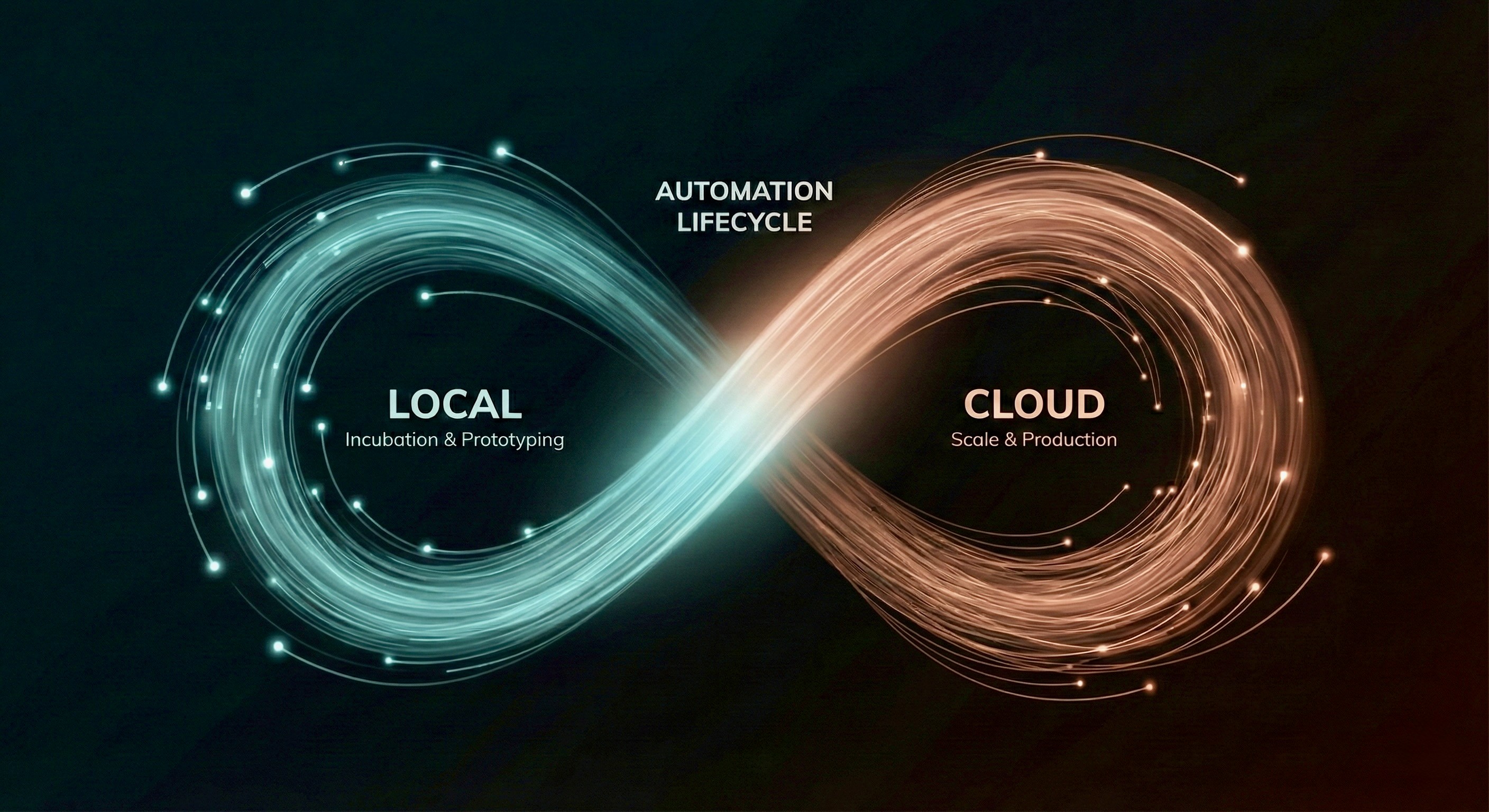
In automation, we often treat execution modes as a binary choice: you are either building "Attended" (Local) bots or "Unattended" (Cloud) bots. This creates a false dichotomy where teams feel they must pick a philosophy and stick to it.
But in practice, the choice isn't philosophical; it’s operational. Real-world workflows are messy. They evolve. A workflow that requires human oversight today might be fully autonomous next month.
If you treat Local and Cloud as separate categories, you risk over-optimizing for one and neglecting the other. However, if you view them as connected stages in the same lifecycle, you unlock a powerful new way of working: Local for speed and agility, Cloud for scale and resilience.
Here is how modern automation teams are shifting their mindset to get the best of both worlds.
Defining the Terms: Execution, Not Involvement
Before we look at the lifecycle, let’s clarify the definitions. The industry standard terms—"Attended" and "Unattended"—focus on whether a human is watching. We find this limiting.
A more helpful framework focuses on where the code executes:
Local Execution: Runs in the operator’s browser or desktop environment. It utilizes the user's session, cookies, and local credentials. While a human can watch it, they don’t always have to.
Cloud Execution: Runs headfully in a hosted container. It requires stored credentials and formal orchestration but offers high availability.
When you stop worrying about "human vs. robot" and start thinking about "browser vs. server," the use cases become much clearer.
Local Mode: A Sandbox for Innovation
There is a tendency to view Local execution as "lesser" than Cloud as a compromise we accept rather than a tool we choose. This is a mistake. Local is not just for manual work; it is the ultimate environment for incubation.
Local execution offers advantages that Cloud simply cannot match during the early stages of a build:
Rapid Iteration: You run against the real application in real-time. If it breaks, you see exactly why with no need for parsing cryptic logs or waiting for container provisioning.
Simplified Access: Because the automation runs in an authenticated user session, you bypass the complex friction of managing service accounts and API keys during the prototype phase.
Handling Ambiguity: Early workflows often encounter edge cases (unexpected pop-ups, data variance). Local mode allows a human to intervene, correct the course, and let the bot continue which shows the creator how to harden the script for the future.
Cloud Mode: The Engine for Scale
Once a workflow graduates from the laboratory, it needs a stable home. This is where Cloud execution shines.
The shift to Cloud is about moving from agility to reliability:
Independence: The workflow no longer relies on a specific laptop being open.
Concurrency: You can scale from 10 runs to 10,000 without tying up human workstations.
Infrastructure: Cloud turns the workflow into a predictable, schedule-driven piece of infrastructure.
Cloud is not "better" than Local; it is simply the production runtime for mature, stable logic.
The Mindset Shift: The "Local-Cloud Loop"
The most successful teams don't pick one mode; they use a cyclic approach. They recognize that automation is a living process.
Here is what that lifecycle looks like in practice:
Build & Validate (Local): Developers build locally, leveraging their own access and browser visibility to debug logic quickly.
Promote to Production (Cloud): Once the logic is stable and credentials are secured, the workflow moves to the cloud for scheduled, high-volume execution.
The Feedback Loop (Return to Local): When the target application changes (a UI update or a new feature), the workflow breaks in the Cloud. Instead of trying to fix it blindly, you pull it back to Local. You debug it, patch it, verify it works, and re-promote it.
This isn't a one-way street; it's a continuous loop of development, stabilization, and maintenance.
A Practical Decision Framework
If you are struggling to decide where a specific automation should sit right now, ignore the philosophy and look at the operational reality.
In practice, the decision usually comes down to stability and access. If the logic is still evolving, or if the credentials are tied to a specific user session (like difficult 2FA), the workflow belongs in Local mode. It is safer and faster to iterate there. However, once that workflow stabilizes, or if the volume becomes unpredictable, the center of gravity shifts. When you need 24/7 uptime and the ability to handle spikes without blocking a human's machine, it is time to promote that workflow to the Cloud.
Conclusion
Local gives you speed, clarity, and the ability to navigate complexity. Cloud gives you throughput, reliability, and operational muscle.
You don't need to choose sides. By integrating both into a single unified strategy, you can build automations that are easy to create, easy to scale, and resilient enough to handle the messy reality of how work actually gets done.